Supported on CoolWallet Pro & Go only
CoolWallet supports multiple popular networks. In addition to the default Ethereum network, users can choose Tron, Arbitrum, BSC, Base, or Optimism to receive assets with lower transaction fees.
【Simplified Addition Process】:
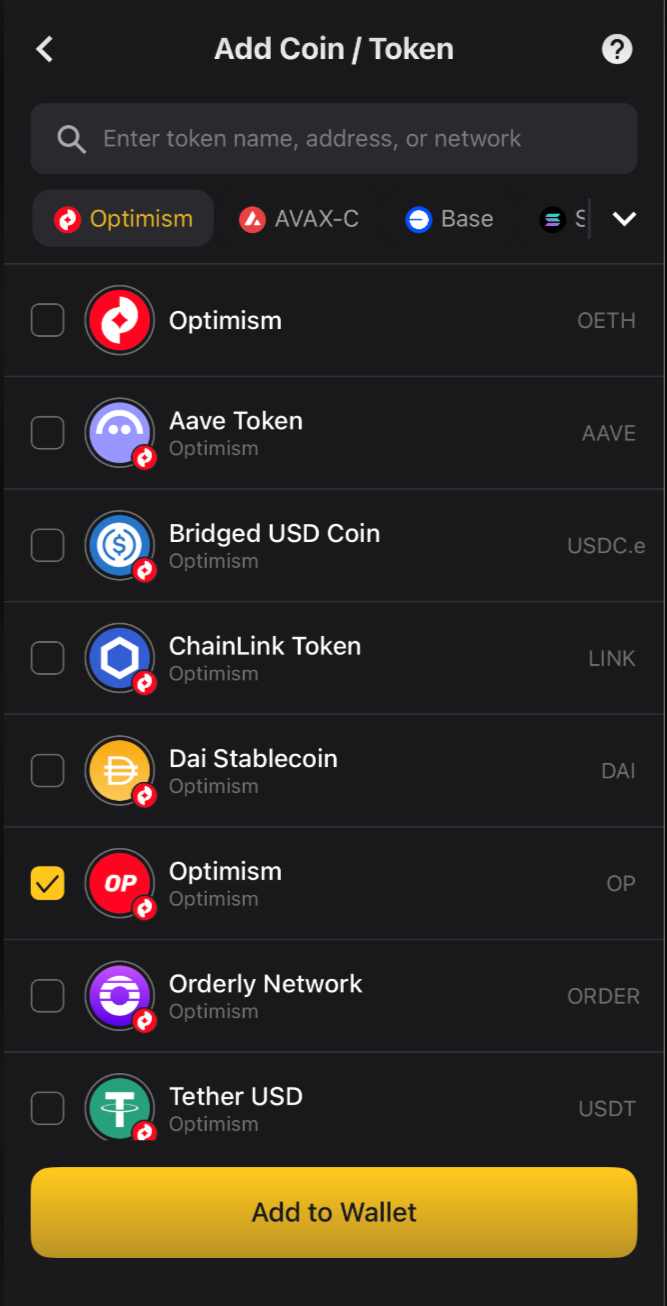
If your balance does not appear after a transfer, follow this path to enable the corresponding network: Home "Wallet" > "Manage" (on the right) > "Add Coin/Token" > Select your desired Blockchain.
Example (Adding Optimism assets): Simply select Optimism to successfully add supported coins like OP or OETH to your wallet.
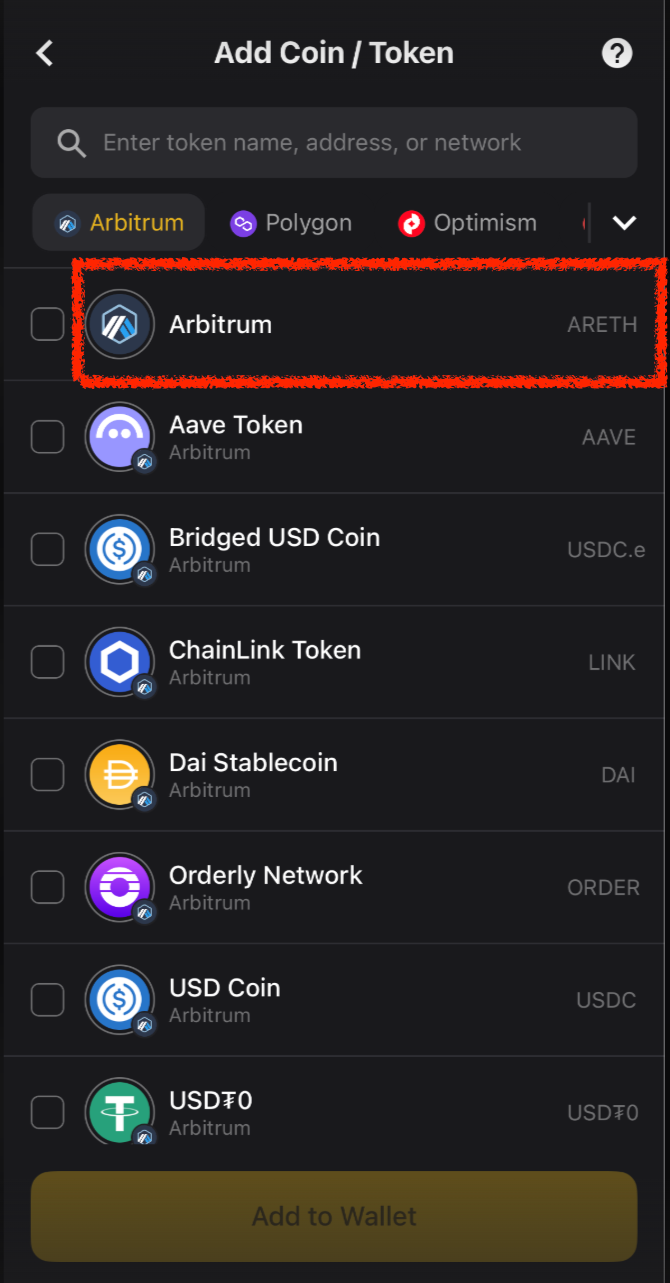
FAQ : Why can’t I find the ARB (Arbitrum) token?
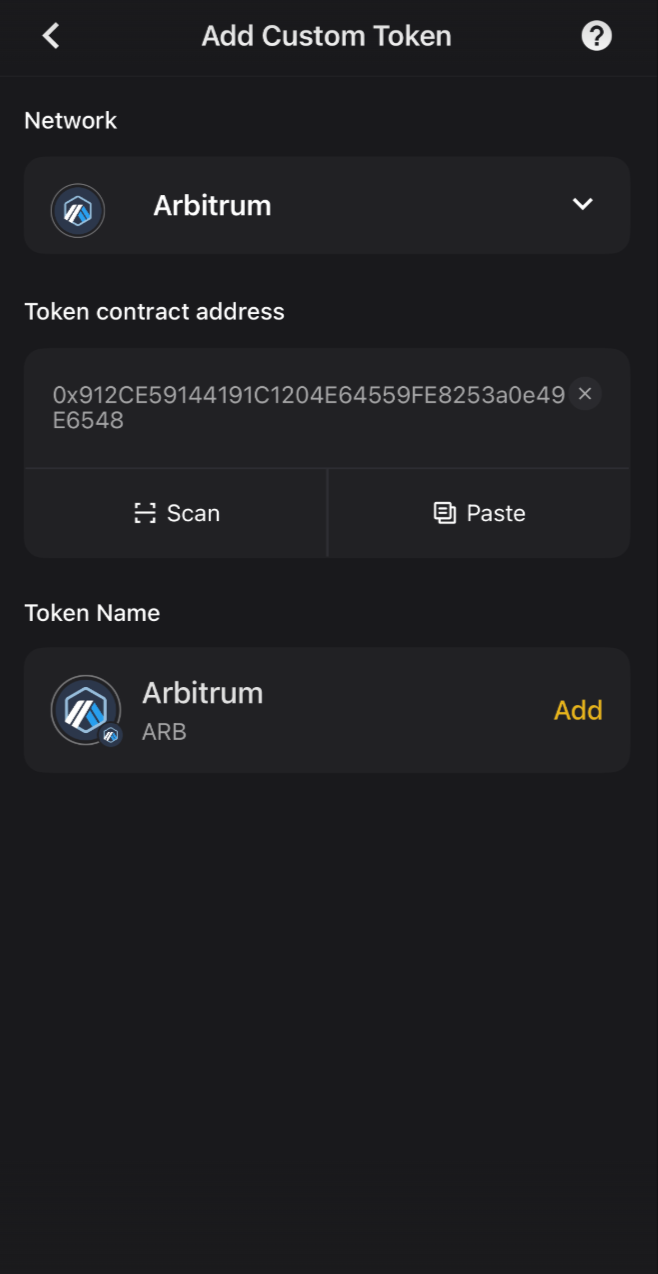
CoolWallet natively supports ETH (Arbitrum), displayed as ARETH. If you need to add the ARB governance token, please refer to Section 3: Custom Tokens. You can manually add it by pasting the ARB contract address into the app.
Was this article helpful?
That’s Great!
Thank you for your feedback
Sorry! We couldn't be helpful
Thank you for your feedback
Feedback sent
We appreciate your effort and will try to fix the article