Adding a Custom Token ?️
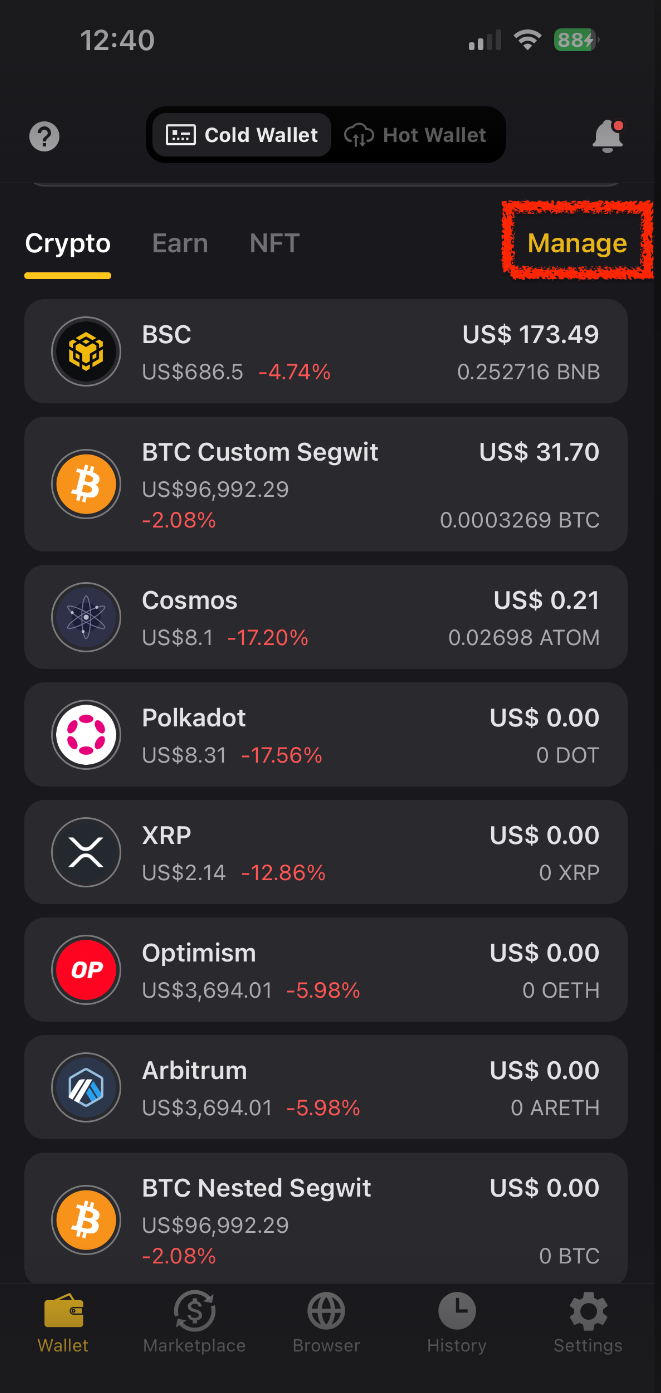
Tap "Manage" on the wallet page.
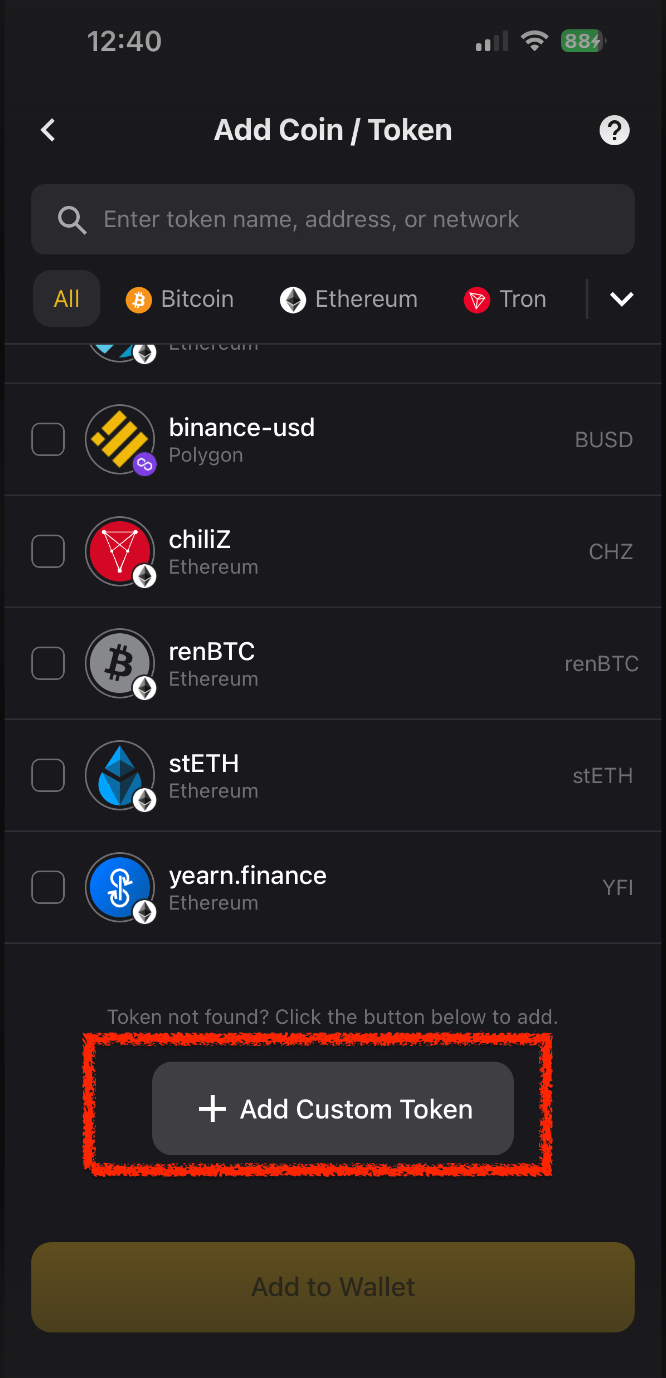
Tap the "+" icon to search and add.
? Token not found? Tap "Add Custom Token" at the bottom.
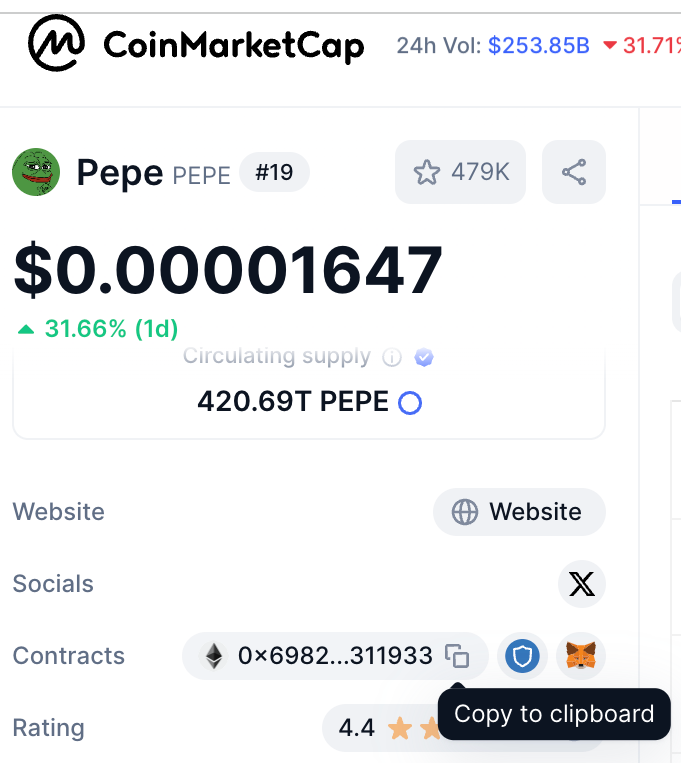
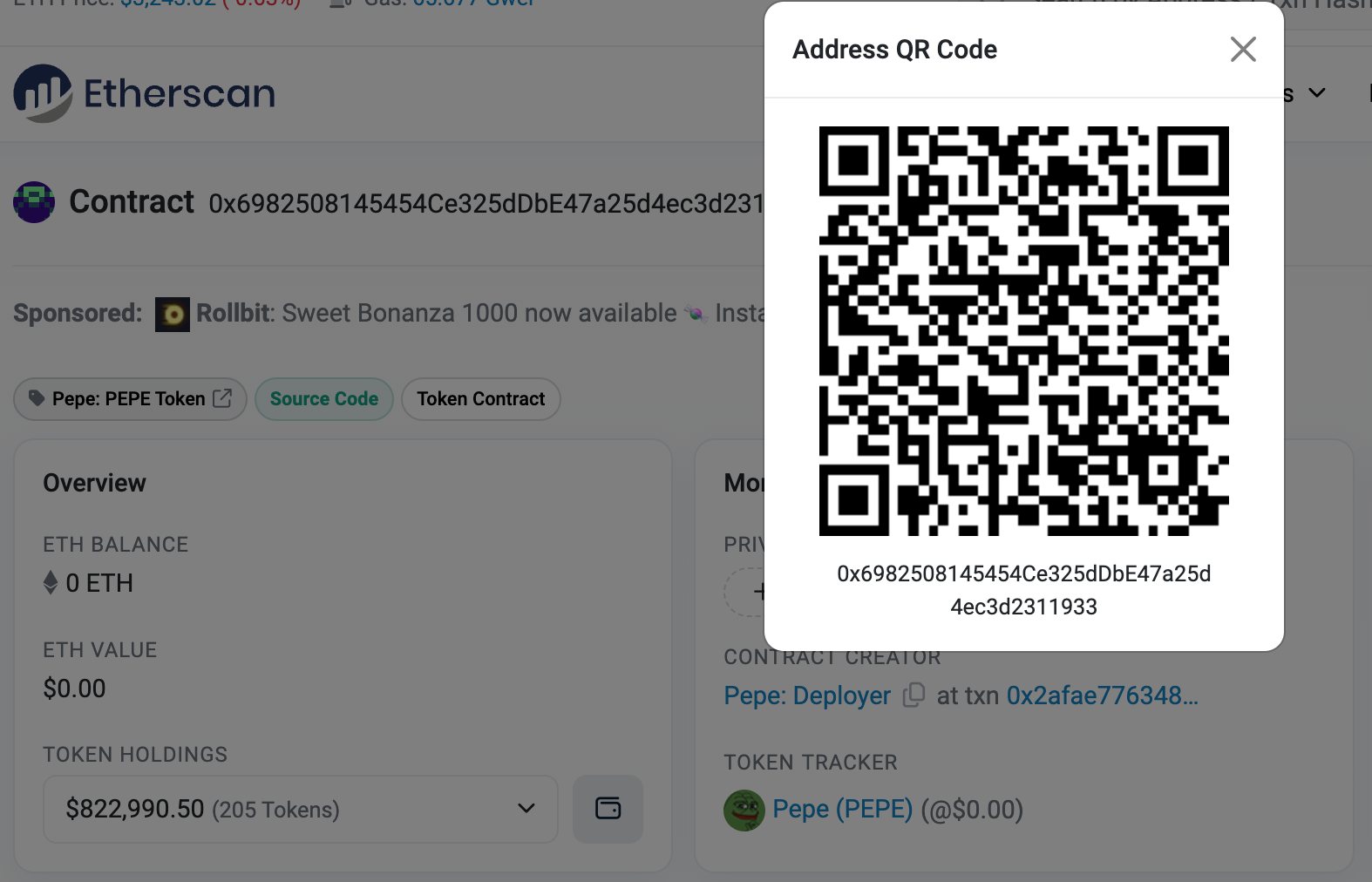
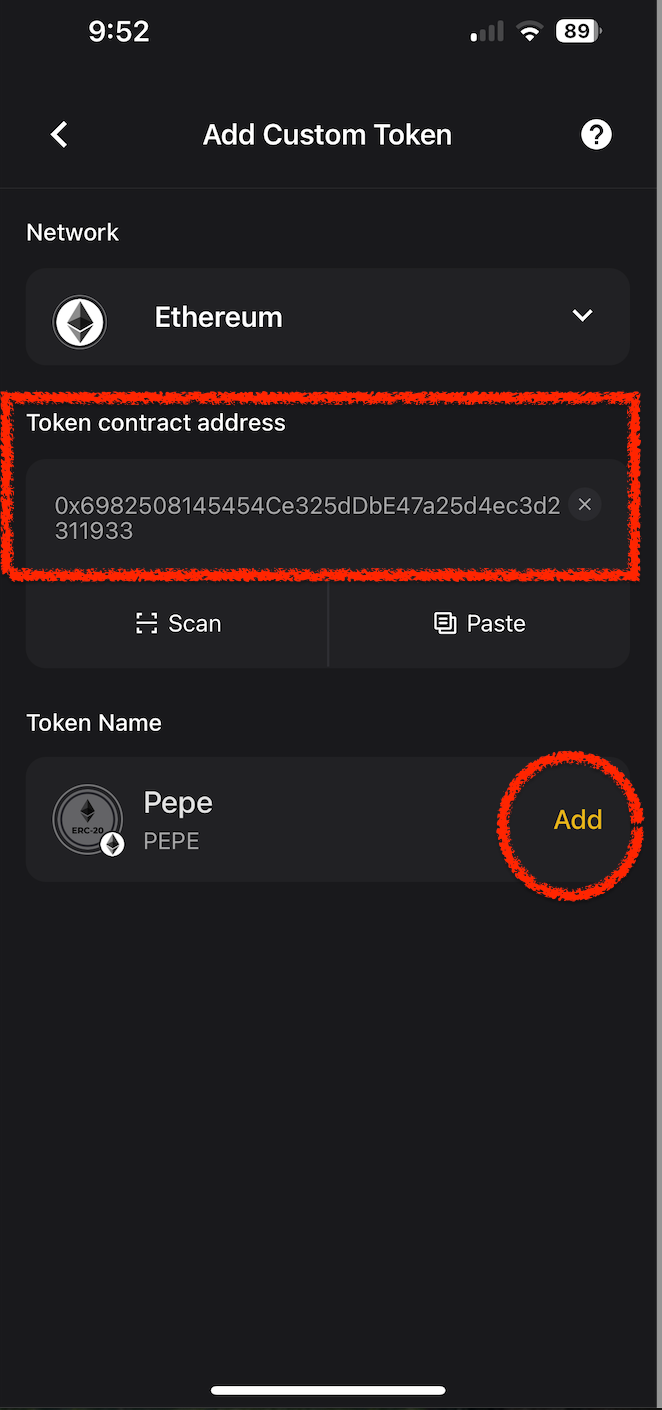
Select the network and paste the Contract Address (found on coinmarketcap.com).
Enter the Token Name and Symbol.
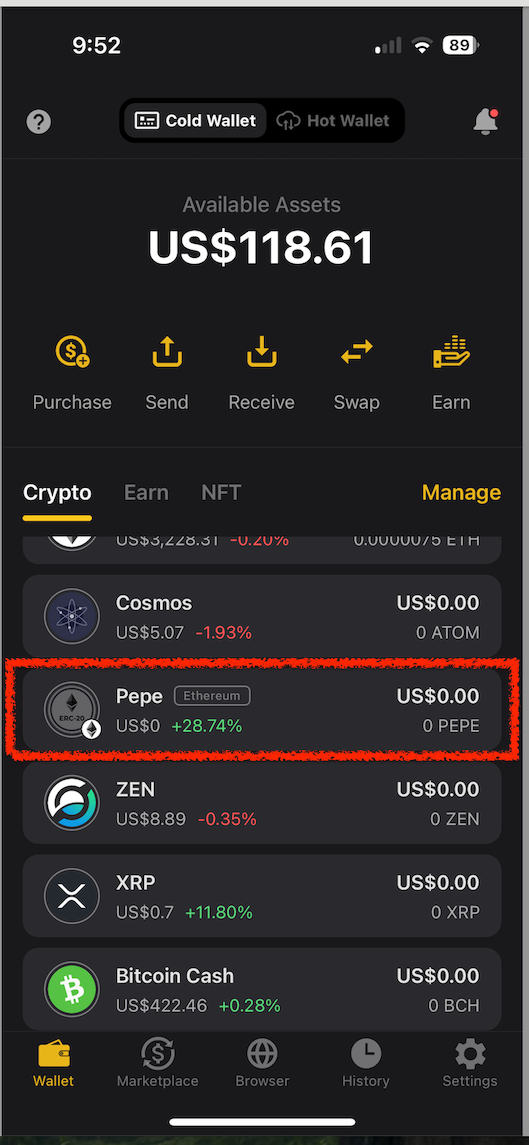
Example 1 (PEPE):
Example 2: Receiving BTC (BTCB) via BSC ?
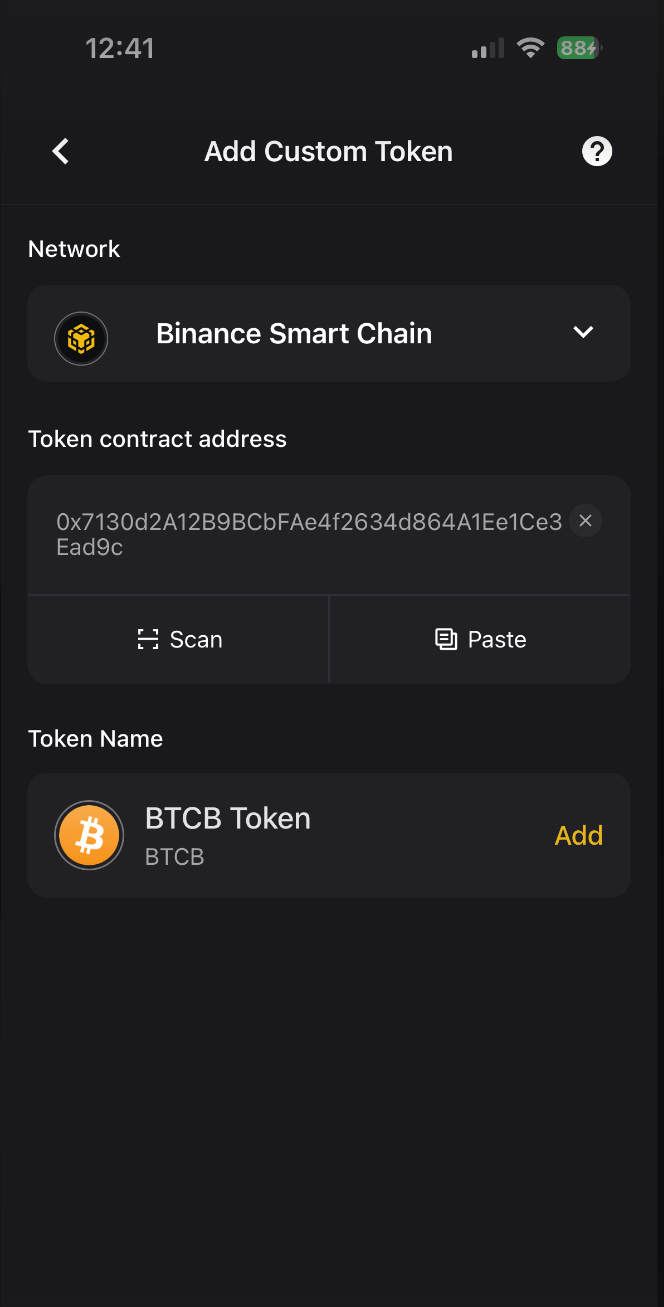
Tap "Add Custom Token" in the Manage section.
Select "Binance Smart Chain".
Enter the BTCB Contract Address: 0x7130d2A12B9BCbFAe4f2634d864A1Ee1Ce3Ead9c
From your exchange, send BTCB to this address.
Wait for the transaction to confirm—your BTCB will appear in the app.

Adding a Custom Network ⛓️
Supported on CoolWallet Pro、Go & HOT only
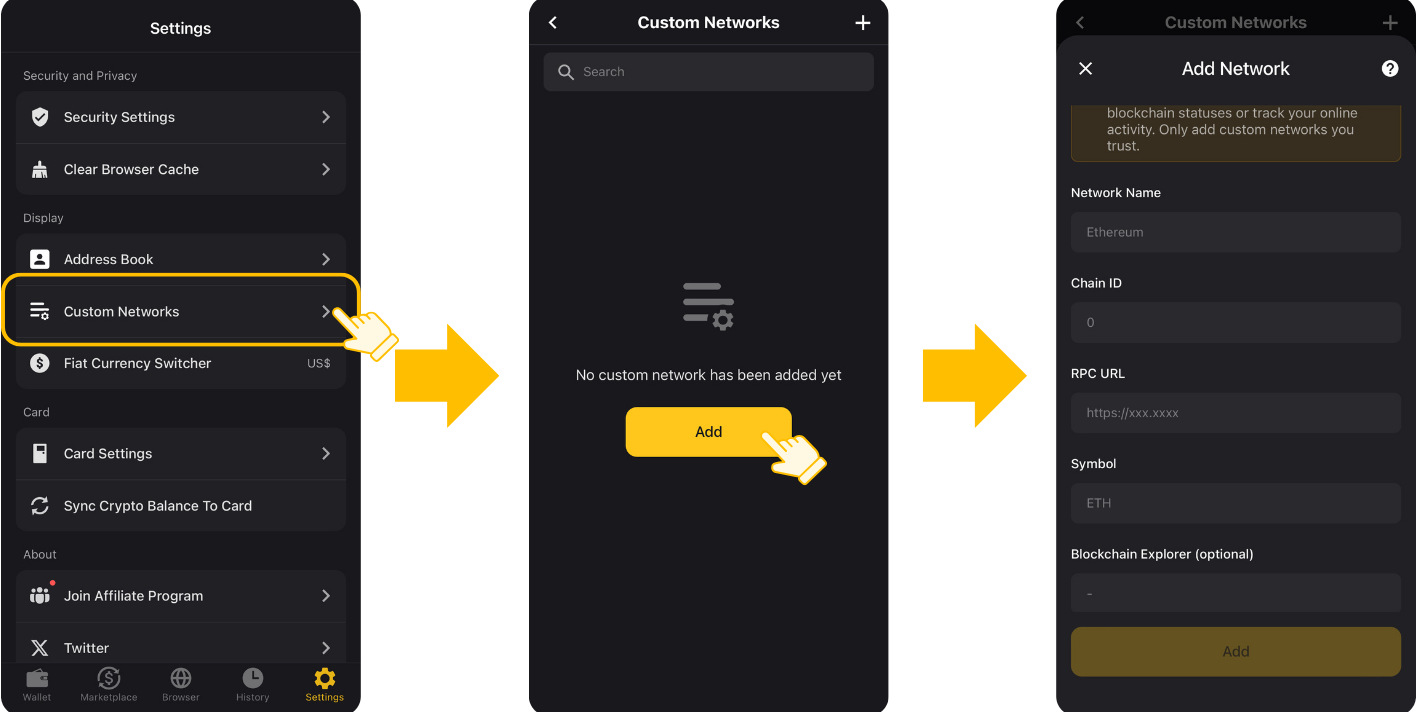
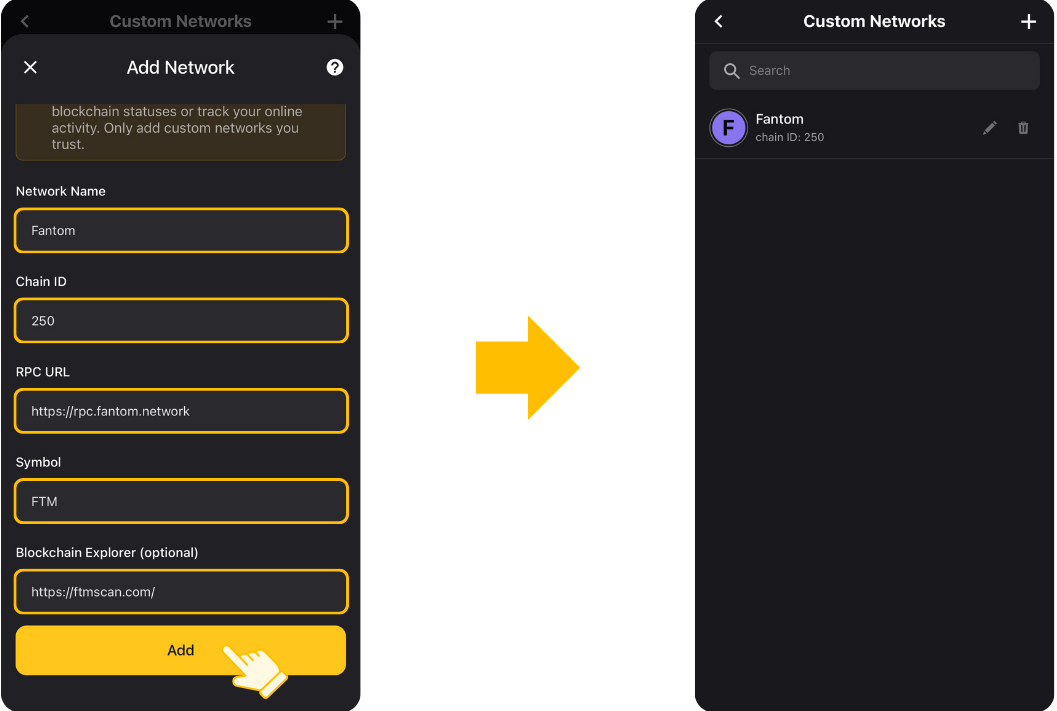
Go to Settings > Custom Networks > Add.
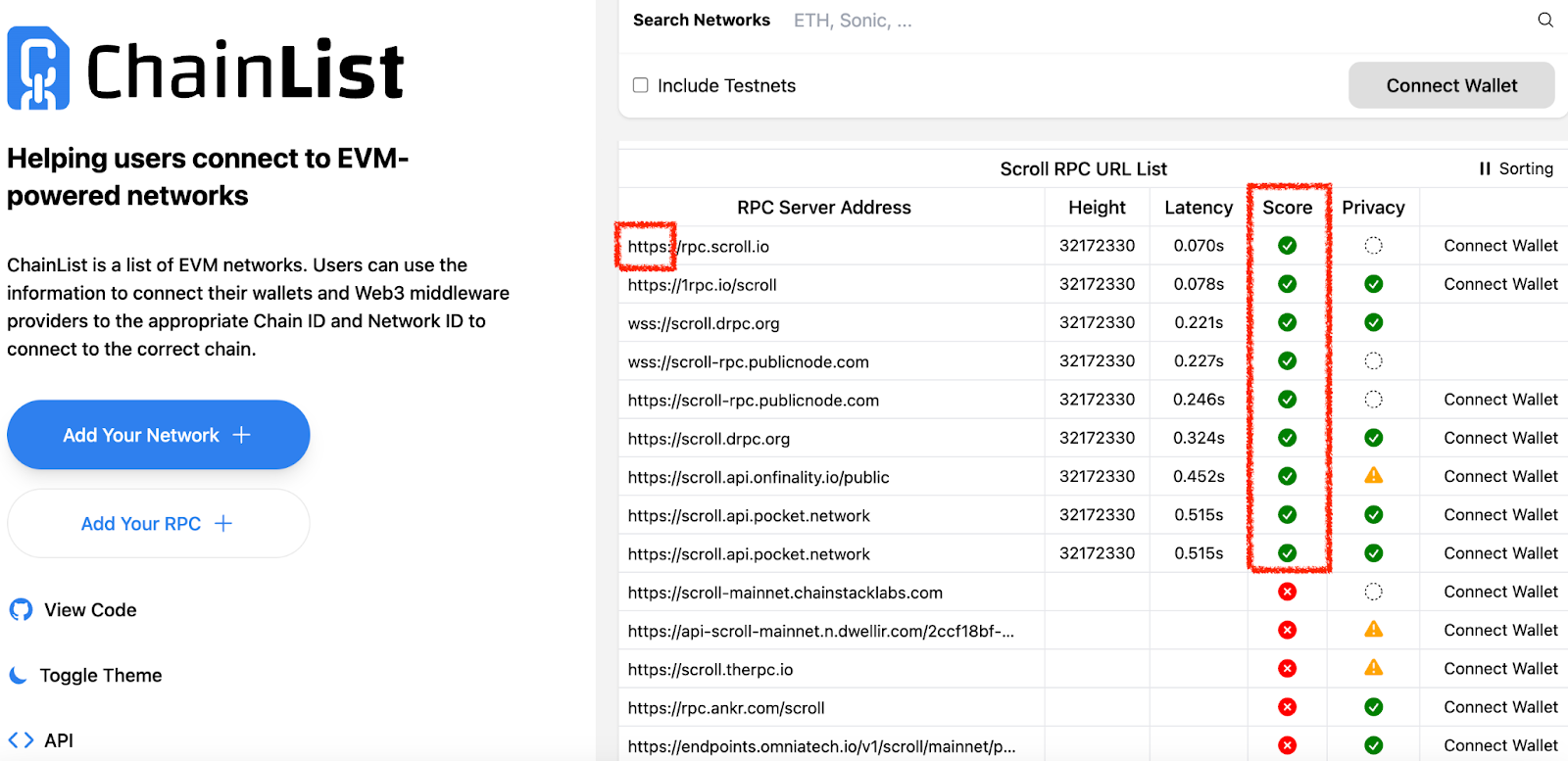
Tap "Explore available blockchains to add" at the bottom to visit ChainList for details like Chain ID or RPC URL.
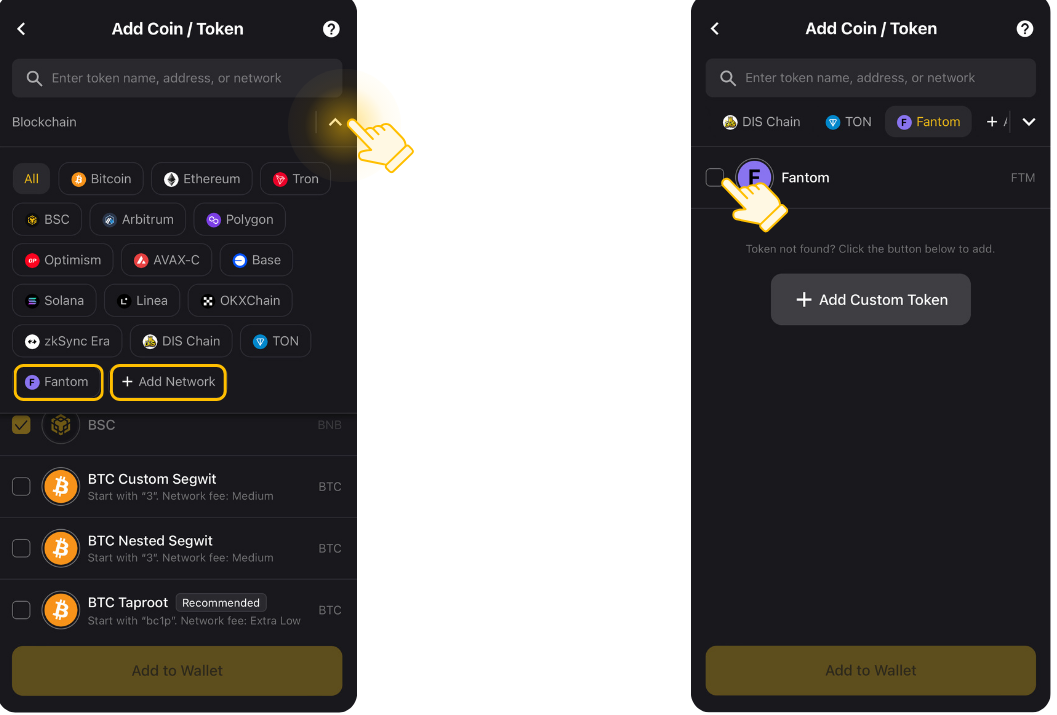
After saving, go to the "Add Coin / Token" page to enable the chain and display your assets.
? Technical Note:
Only EVM-compatible chains can be added, and the RPC URL must start with "https."
When browsing the RPC list on ChainList, please select a provider with a green checkmark in the "Score" column. This ensures the most stable and reliable connection for your network.
Was this article helpful?
That’s Great!
Thank you for your feedback
Sorry! We couldn't be helpful
Thank you for your feedback
Feedback sent
We appreciate your effort and will try to fix the article